I registered Health Skillz at 500 Epic sites... then couldn't connect
View on LinkedIn
This is a follow-up to 7,000+ Clicks to Register a FHIR App. That post covered the work of getting a confidential SMART on FHIR client registered at ~500 Epic organizations. This post covers what happened next.
My automation script ran; the management portal said “Keys enabled” for Health Skillz at 496 organizations; everything looked green; I waited 12 hours for registrations to propagate. Time to actually use the app.
I opened the “vnext-branch” Health Skillz UI (excited to get the new long-term access feature landed for everyone!), picked my local primary care provider in Madison, Wisconsin, and tried to connect. The OAuth flow started normally: redirect to the patient portal, log in, approve the scopes. Then the token exchange failed.
invalid_client
That’s it. null value for error_description, no hint about what went wrong. Just invalid_client — an opaque error that could, I supposed mean absolutely anything. (Was my client ID is wrong? JWT assertion malformed? Algorithm unsupported? Signature invalid? Audience wrong? Token expired? redirect URI mismatched? Or something else entirely?) I tried UW Health, also in the Madison area. Same thing. invalid_client.
Two for two.
Health Skillz was registered as a confidential client using JWT-based authentication with an ES384 key. The same client worked fine in Epic’s sandbox. It worked in nonproduction environments. It just didn’t work in production, at real organizations, where real patients have real data.
Debugging with help from Epic
I reached out to a personal contact on Epic’s interop team. This is where having direct contacts is unfairly helpful. Thank you! (My heart goes out to the developers who have walked down this road without such responsive, personal support. What we debugged in 24 hours could easily have taken weeks in a less optimal environment.)
The problem with invalid_client is that there’s nothing to go on from the client side. The information exists somewhere; Epic’s server running at a customer installation might know why it rejected the token.
My Epic contact offered to coordinate with UnityPoint’s operations team to enable debug logging on their production Epic servers the next day, so we could reproduce the failure and see what their system actually recorded. This required human coordination — asking the right people at the right customer to turn on the right logging at the right time — and we set it up for the following day.
In the meantime, he checked a few things. He initially wondered about the algorithm — our JWT was signed with ES384, and he wasn’t sure all signature types were supported everywhere. He sent a link to Epic’s troubleshooting documentation for invalid_client, which covers the basics: wrong redirect URI, wrong client ID, signature validation issues. As he put it: “Since this is Josh Mandel we’re talking about, sending you a link to the basics feels a bit weird.” Fair enough — I wrote the spec and have been building SMART on FHIR apps for over a decade. But the basics were worth ruling out. And there is good troubleshooting information at https://fhir.epic.com/Documentation?docId=jwtAuthTroubleshooting but none of it was the right answer.
I retried the token request. Failed again. Tried RS256 instead of ES384, in case the algorithm was the issue. Still failed. My contact confirmed the algorithm wasn’t the problem after checking against Epic’s internal tooling (but more on this later).
Outbound traffic
The next day, with logging enabled at UnityPoint, I reproduced the failure and shared a complete failing curl command. My contact looked at the logs and found something unexpected: there was nothing in their database logs.
No record of the token request being processed at all.
The only scenario where that happens, he explained, is if signature validation fails before the request even reaches the database layer. Signature validation runs on a separate server, and many Epic customers have historically configured those servers with very restrictive outbound network policies — specifically to prevent malware command-and-control traffic. The security policy is straightforward: the server should not be making arbitrary outbound HTTPS requests.
But when an app registers with a JWK Set URL, that’s exactly what needs to happen. The Epic server receives a JWT, looks up the app’s JWK Set URL, makes an outbound HTTPS request to fetch the public keys, and validates the signature. If the server can’t make that outbound request, signature validation fails. The token request returns invalid_client. No further detail.
It appears that a significant fraction of Epic customers prevent this kind of outbound fetch, meaning any app using the “JWK Set URL (Recommended)” authentication method will silently fail. The patient will see a generic error. The developer will see invalid_client. Nobody will know that the problem is a network policy on a server they don’t control and can’t inspect.
The fix nobody recommends
My contact asked me to try something at UnityPoint: instead of pointing to my JWK Set URL, paste the actual public keys directly into the per-organization configuration. Epic’s management portal has this option — you click “Other” instead of “JWK Set URL (Recommended),” then select “JSON Web Key Set (JWKS)” and paste your keys into a textarea.
When you select “Other,” the portal shows a warning in bold: “We recommend using a JWK Set URL instead of these options.” There’s a link to documentation about JWKS URLs. The UI is designed to steer you away from direct key upload and toward the JWK Set URL option.
I pasted my keys. Oops: an error that one of the keys in my JWKS used an EC algorithm that was unsupported… even though this same JWKS validated at app registration time yesterday. It seems that different rules apply in different context. I manually removed the EC key and saved. Then UnityPoint’s team triggered a manual sync on the backend (because key updates don’t propagate instantly).
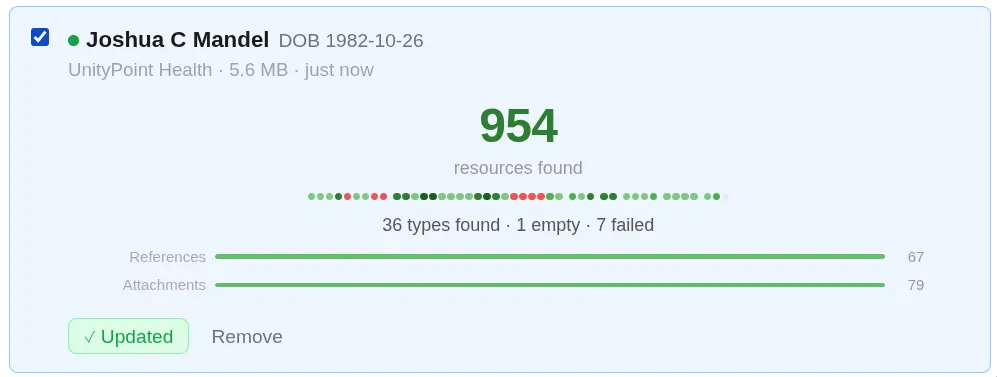
Within minutes, the token exchange worked. I was fetching my data!
OK. The recommended option doesn’t work. The documented algorithms don’t work. And the UI warns you against the only thing that atually does work.
Re-activating 500 organizations, again
This meant every organization I’d activated — all 496 of them, via the automation script from the previous post — had been configured with the wrong authentication method. They all used JWK Set URL. Some fraction of them (unknowable to me) would fail when real patients tried to connect.
I needed to re-activate all of them with direct JWKS upload instead. Back to the script.
The good news: the undocumented Epic-internal ApproveDownload API accepts TestJWKS and ProdJWKS parameters. When these are empty, Epic uses the app-level JWK Set URL. When populated with a JWKS JSON string, it stores the keys directly at that organization. Same endpoint, same parameters, just with the JWKS filled in instead of blank.
I also discovered that when uploading JWKS directly, you can activate both nonproduction and production environments in a single API call — NonProdOnly=false, ProdOnly=false with both TestJWKS and ProdJWKS populated. The original script needed two calls per org (one for nonprod, one for prod). The updated script needs one. Half the API calls, and the keys are embedded rather than referenced.
The updated script prompts for mode at startup: enter “1” to use JWK Set URL (the original behavior), or paste a JWKS URL to fetch keys and upload them directly. It defaults to the app’s .well-known/jwks.json endpoint. When it detects that organizations are already activated, it asks whether to re-activate them — which is what you need when switching from one authentication method to the other.
After re-activating all 502 organizations, one of my two test sites — UnityPoint — started working. The other, UW Health, is still returning invalid_client. Configuration changes can take up to 12 hours to propagate from Epic’s portal to customer sites, so this may just be a matter of waiting.
Trying to understand more about the situation, I updated my server to log all queries to its jwks.json endpoint. And even after updating all connections to eliminate the JWKS fetch, logs showed traffic streamiing in (again, those propagation delays). I saw requests from individual hospitals’ IP ranges — Children’s Hospital Colorado, Kaiser, Hennepin County Medical Center, Nationwide Children’s, and more — each independently reaching out. Organizations hosted by Epic come from Epic’s hosting IPs. Some route through web security proxies like Forcepoint.
This explains the outbound traffic problem precisely. It’s not a single Epic server where whitelisting rules could be applied (although Epic could certainly re-design things that way). Every customer’s own signature validation servers need to make the outbound HTTPS request. If their network blocks it, the fetch fails.
EC keys: accepted at registration, rejected at configuration
As I discovered pasting JWKS values by hand, same keys that Epic accepts at the app level are rejected at the organization level. There’s no indication during app registration that EC keys won’t work downstream. You discover it later, when you’re trying to configure individual organizations and the keys you’ve been using all along are suddenly invalid.
The fix in my automatic registration script is simple: filter the fetched JWKS to RSA keys only (kty === ‘RSA’) before uploading. But a developer who didn’t know to do this would hit a confusing wall — the keys work at the app level, work in the sandbox, and then fail when you try to deploy to production organizations.
.NET serialization artifacts
After re-running the script to upload direct JWKS at all organizations, I reopened the management modal for one of them to verify the keys were stored correctly. What I saw was unexpected.
The stored JWKS had capitalized property names: Kty instead of kty, N instead of n, E instead of e. It also contained properties that don’t belong in a JWK at all: CryptoProviderFactory, HasPrivateKey, KeySize, AdditionalData. These are internal fields from .NET’s JsonWebKey class — they’d leaked into the stored representation. And at the bottom of the modal, a validation error: “JWKS key #1 is missing ‘kty’ property.”
I spent time chasing this as a bug in our upload script, since I was working from an incomplete understanding of the underlying APIs. It’s not a script bug. It’s a server-side serialization issue: all JWKS submissions — whether sent via API or pasted manually through the form — get deserialized into .NET JsonWebKey objects and re-serialized with PascalCase property names and internal framework fields. The UI masks this on immediate re-open by caching the client-side value, but after a page reload, the mangled server-side version shows through.
The keys still validate signatures correctly, so it doesn’t break functionality. But Epic’s own management UI can’t display what its own backend stored without triggering a validation error on every single organization.
New organizations, overnight
While debuggin, I noticed my total org count had increased from 500 to 502 overnight. New today:
- Brown University Health (OrgId 392) — this was previously “Lifespan” in Epic’s public Brands bundle. Same OrgId, renamed. Notably, this was one of four organizations that had been in the public endpoint directory but not on our management page the day before. It appeared via auto-sync overnight.
- eleHealth (OrgId 32586) — a brand new organization with a high OrgId, not previously in any list.
This answered a question from the previous post: does Epic’s auto-sync continue delivering new organizations after initial app registration, or is the list frozen? It continues. The org list is a living thing, updated at least daily. Brown University Health’s appearance also confirmed that the four “Brands-only” organizations we’d identified weren’t permanently excluded — they just hadn’t been synced yet.
What this means for developers
If you’re building a confidential SMART on FHIR client on Epic:
- Don’t use JWK Set URL. I know the portal says “Recommended.” I know the alternative triggers a warning. Use direct JWKS upload anyway, for now. JWK Set URL fails silently at organizations that restrict outbound traffic, and there’s no way to know which organizations those are until a patient tries to connect and gets a generic error.
- Filter to RSA keys. Even if your app-level JWKS includes EC keys and Epic accepts them at registration, the per-org configuration rejects them. Strip EC keys before uploading. Only kty === ‘RSA’ keys work.
- Ignore the validation errors. After uploading JWKS, Epic’s management UI will show your keys with PascalCase property names (Kty instead of kty) and .NET internal fields (CryptoProviderFactory, HasPrivateKey), along with a validation error claiming the kty property is missing. This is a server-side serialization bug — the keys work fine for signature validation despite the mangled display. Don’t let the error message send you on a debugging wild goose chase.
- Expect to re-activate. If you initially registered with JWK Set URL and later switch to direct JWKS (which you should), you need to re-activate every organization. The script in our repo handles this — it detects already-activated orgs and offers to re-process them.
- The org list updates. New organizations appear via auto-sync. Plan for your script to be re-run periodically to pick up new additions.
None of this is documented. The portal actively steers you toward the option that doesn’t work. The error messages don’t tell you what’s wrong. The management UI shows validation errors on its own stored data. A developer without a direct line to Epic’s engineering team would be stuck — and even Epic’s own representative acknowledged that the developer experience tooling hasn’t received the attention the underlying infrastructure deserves.
Recommendations for Epic
These are fixable problems. Some are quick wins; others are architectural. All of them would make a meaningful difference for the developers trying to build on this platform.
- Return useful error details from the token endpoint. invalid_client with no description is not a debuggable error. Epic’s servers know exactly why they rejected a token request — surface that in error_description. This was described as already in development but stalled on prioritization. It should be the highest priority fix on this list, because it’s the root cause of every other problem taking days instead of minutes to diagnose.
- Stop recommending JWK Set URL as the default until it works uniformly. The portal labels it “Recommended” and warns against the alternative, but it fails silently at every organization whose servers can’t make outbound HTTPS requests — and there’s no way for a developer to know which organizations those are. Either fix the outbound connectivity issue across all customer sites, or change the default recommendation to direct JWKS upload.
- Manage JWKS fetching as a service to your customers. Right now each customer’s own servers independently fetch the JWK Set URL. This means every hospital’s network policy is a potential point of failure. If Epic fetched the JWKS centrally and distributed the keys to customer sites alongside other configuration, the outbound traffic problem would disappear entirely.
- Accept EC keys at the per-org level. If the app-level registration accepts ES384 keys without error, per-org configuration should too. Silently accepting keys at one level and rejecting them at another, with no warning at registration time, is a trap.
- Fix the .NET serialization bug. JWKS stored through the portal shouldn’t come back with PascalCase property names and leaked framework internals. The management UI shouldn’t show validation errors on data it stored itself. This is a straightforward serialization fix.
- Propagate configuration with push infrastructure. Up to 12 hours for key configuration to reach customer sites makes debugging a multi-day process. Every change requires waiting overnight to see if it worked. Faster propagation with push infrastructure or app-developer-triggered pulls would dramatically reduce the feedback loop.
- Document the per-org activation requirement for refresh-token apps. The auto-sync documentation describes two lanes but doesn’t make clear that Lane 2 apps need to individually confirm credentials at every organization through a manual workflow. Developers discover this after registration, when 500 organizations appear on their management page with no bulk action available.
The automation script and full technical journal are in the Health Skillz repo.
Health Skillz is open source and not affiliated with Epic, Anthropic, OpenAI, or any healthcare provider. I work at Microsoft but this is a personal project.